
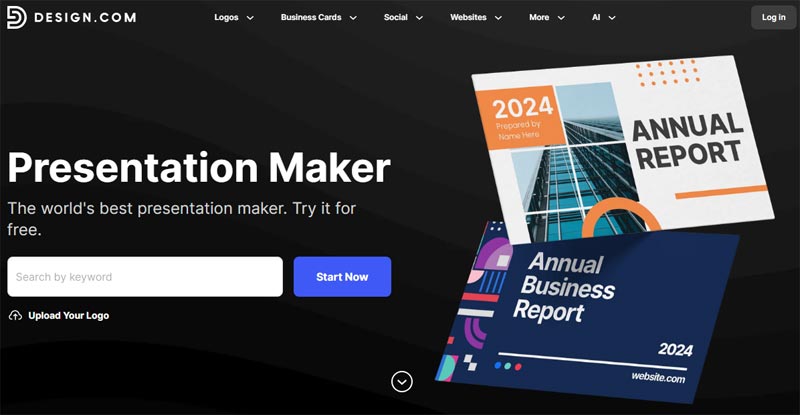
Creating presentations doesn't have to be time-consuming or overly complicated anymore. Modern AI tools can quickly generate slides, structure content, and ensure consistent branding in just minutes. Whether you're working on a pitch deck, business presentation, or marketing report, the right platform can speed up the process and improve the visual quality.
This review looks at four leading tools, Design.com, BrandCrowd, Beautiful.ai, and Tome, and how they perform in real-world presentation creation.
How Presentation Tools Perform Today
The best tools offer more than simple slide templates. They help users build structured presentations that look consistent with minimal effort.
Ready-to-use professional slide designs, automated layout and structure generation, built-in brand consistency across presentations, and simple, flexible editing all work together to keep the process fast and intuitive without sacrificing quality.
Design.com
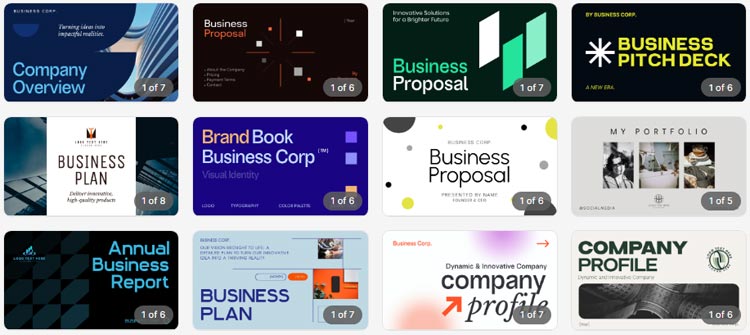
Design.com stands out as an all-in-one AI platform that creates complete presentations instantly while ensuring strong visual consistency.
Strenghts
Create full presentations in seconds with AI-generated slides made for business use. The platform automatically applies clean layouts and consistent branding, so you get a polished result without wasting time adjusting each detail.
- AI-generated presentations from a simple prompt
- Structured, professional slide layouts
- Automatic brand consistency across all slides
- Minimal manual editing needed
Design & Asset Ecosystem
This isn’t just a presentation tool; it’s a complete design suite. You get access to a huge asset library and a variety of tools that meet most everyday branding needs.
- 400K+ logo templates
- 1M+ total design assets
- 50+ tools for presentations, websites, flyers, social media, and documents
- 62K+ vector shapes, exclusive fonts, and icons
- Supports logos, business cards, flyers, and more
AI Editing Experience
Editing is fast and intuitive thanks to the chat-based AI interface. Instead of searching through menus, you can just describe what you want to change.
- Chat-based editing for text, layouts, and visuals
- Quick adjustments without design skills
- Easy changes across different asset types
Output & Flexibility
Once your designs are ready, sharing and reusing them is easy, with support for multiple formats and consistent branding across assets.
- Multiple export formats for presentations
- Easy sharing across platforms
- Unified branding system across all outputs
Limitations
- Advanced designers may want deeper control, but the simplicity makes it perfect for quick, beautiful results.
Design.com is perfect for users who want fast, polished presentations with minimal effort and strong branding consistency. It’s especially useful for businesses that need a quick turnaround without sacrificing quality.
BrandCrowd

BrandCrowd combines AI generation with professionally designed templates to create structured and visually consistent presentations.
Strengths
The platform focuses on speed and usability. It makes it easy to create polished presentations without starting from scratch.
- Fast presentation creation using ready-made templates.
- Clean, professional layouts suited for business use.
- Easy customization of text, colors, and branding.
- Consistent visual identity across all slides.
Design & AI Capabilities
Beyond presentations, the platform offers a complete set of AI-powered tools and design resources. It supports everything from logo creation to full branding workflows, all within one system.
- 380K+ logo templates and over 1M total design assets.
- AI tools for logos, business names, and background removal.
- Chat-based AI editing for logo text and icons.
- 50+ design tools (presentations, flyers, posters, social media, and more).
- Exclusive fonts, shapes, and icons for unique branding.
Flexibility & Output
Whether you're creating a logo or a full presentation, the platform supports a wide range of formats and uses. It makes it easy to adjust designs for different channels.
- Works across logos, marketing assets, and branding tools.
- Template variations tailored to different industries.
- Multiple export formats, including SVG, PNG, PDF, GIF, and MP4.
- Commercially safe, professionally reviewed designs.
Limitations
- While the platform works well in the browser and performs reliably across devices, it does not offer a dedicated native app.
BrandCrowd is a strong option for users who want quick, professional presentations using structured templates with minimal effort.
Beautiful.ai

Beautiful.ai focuses on intelligent slide design by automatically adjusting layouts as content is added, ensuring polished results.
Strengths
Uses smart templates that auto-adjust layouts and keep presentations clean, modern, and consistent.
- Smart templates that auto-adjust layouts
- Clean, modern presentation designs
- Helps maintain visual consistency automatically
- Ideal for business and corporate presentations
Additions
Includes collaboration tools, sharing features, analytics, and pre-built slide frameworks.
- Collaboration tools for teams
- Presentation analytics and sharing options
- Pre-built slide frameworks for different use cases
Limitations
Has limited creative flexibility outside its structured layout system and fewer advanced storytelling options.
- Limited creative flexibility outside predefined layouts
- Limited flexibility outside its smart layout system, making advanced custom design difficult
- Fewer creative storytelling options compared to fully AI-generated presentation tools
Beautiful.ai is best for users who want structured, visually balanced presentations without worrying about design alignment.
Tome
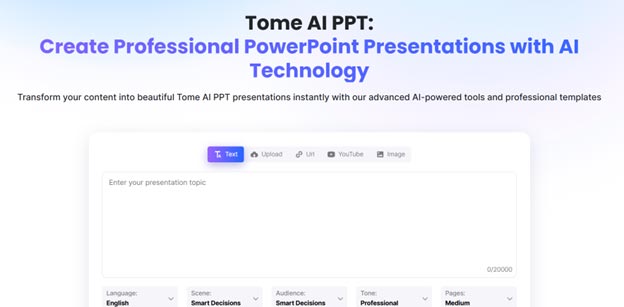
Tome takes a different approach by emphasizing storytelling, using AI to generate content and narrative-driven slides.
Strengths
AI builds presentation content and structure with a focus on storytelling and modern, engaging design.
- AI-generated presentation content and structure
- Focus on storytelling and narrative flow
- Modern, visually engaging slide layouts
- Supports multimedia and interactive elements
Additions
Includes AI writing support, flexible layouts, and collaboration features.
- AI writing assistance for slide content
- Flexible layout options for creative presentations
- Sharing and collaboration features
Limitations
Offers less control over traditional slide design and structure, and AI output may need manual refinement.
- Less control over traditional slide design compared to other tools
- Less control over the traditional slide structure, which may not suit formal presentations
- AI-generated content can require manual refinement for accuracy and tone consistency
Tome is ideal for users who want to tell a story in their presentation with AI-generated content instead of relying on traditional slide design.
Main Metrics Comparison Chart
| Tool | Speed | Design Quality | Automation | Ease of Use | Best Use Case |
|---|---|---|---|---|---|
| Design.com | Very fast | Highly polished | Full AI generation | Very easy | Complete presentations instantly |
| BrandCrowd | Fast | Professional | Partial AI | Very easy | Template-based presentations |
| Beautiful.ai | Moderate–fast | Clean and modern | Smart automation | Easy | Structured business slides |
| Tome | Fast | Creative and dynamic | AI-driven content | Easy | Storytelling presentations |
Wrapping Up
Presentation tools today offer a range of approaches, from full automation to structured design systems and AI storytelling. The right choice depends on whether you prioritize speed, control, or creativity.
Design.com leads as the most complete solution for fast, fully generated presentations with consistent branding. BrandCrowd follows with a reliable, template-driven design, while Beautiful.ai excels at automatically maintaining slide structure. Tome stands out for its storytelling approach, making it better suited for creative and narrative-driven presentations.
Overall, each tool serves a distinct purpose, but Design.com provides the most balanced combination of speed, quality, and ease of use.